



 WHAT NOW?
Plenty of games.
No idea what to play.
You scroll through your library. Nothing grabs you. There goes another evening.
PERSONAL GAME RECOMMENDATIONS BUILT FROM YOUR TASTE
Rate 8 games you know. Oruvai turns what pulls you in — and what puts you off — into personal directions with reasons you can understand.
Start free · Create an account and rate 8 games · No payment card
“Give me a mystery.
Let me work it out.”
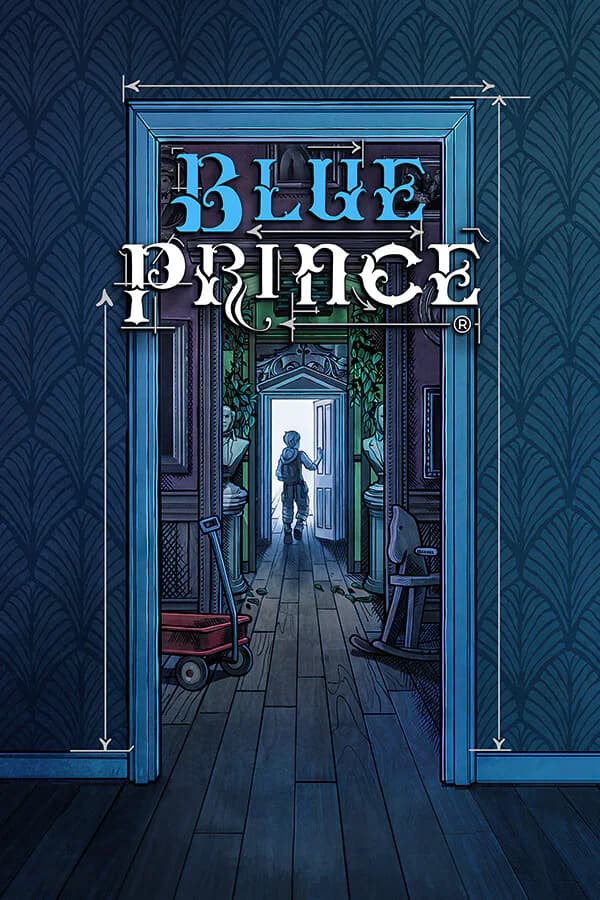
Blue Prince
A house full of secrets, choices and clues.
WHY IT COULD FITFollow your curiosity. Piece the mystery together.
Daily resets ask you to enjoy trying again.
An editorial illustration, not your personal result. Game details: official Blue Prince website. Artwork © Dogubomb.
THE STRUGGLE IS REAL
You don’t need another endless list.
You need a game you want to get lost in.
WHAT NOW?You scroll through your library. Nothing grabs you. There goes another evening.
Top-ten lists show you what other people love. But what would you love?
The trailer looked amazing. The reviews were great. Playing it? Just not your thing.
Start with what you enjoy. Not what you’re supposed to enjoy.
SAME GAME. DIFFERENT PEOPLE.
What pulls one player in can put another off. Your taste makes the difference.
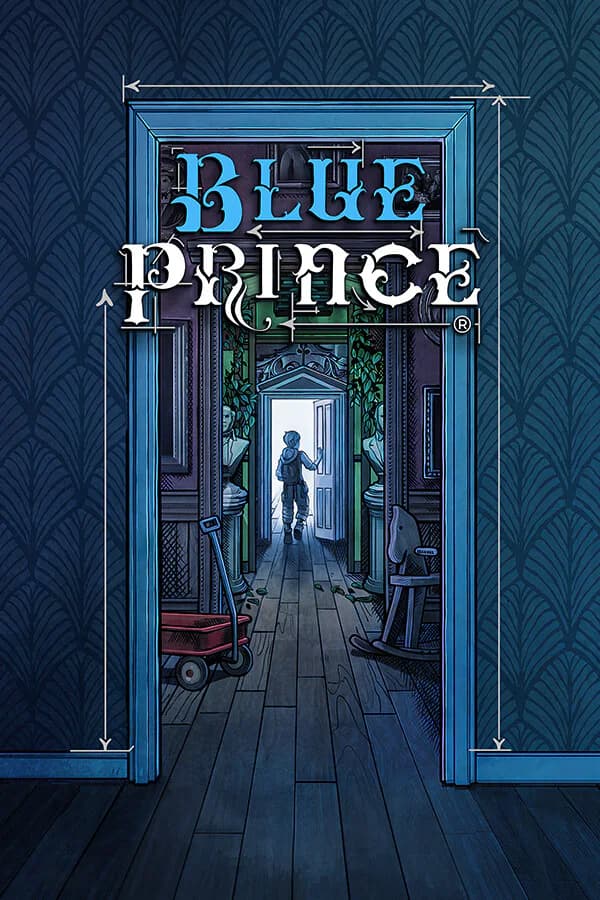
YOU LOVE FIGURING THINGS OUT
“Give me a mystery.
I want to work it out.”
Pick the next room. Follow a clue. Discover a secret. The fun is working it out yourself.
YOU WANT A CLEAR WAY FORWARD
“Give me direction.
Not another restart.”
The house layout resets each day. If you want a clear path and fewer retries, that could get frustrating.
Made-up examples to show how tastes differ, not your personal results. Official game details · Artwork © Dogubomb.
YOU’RE NOT JUST “AN RPG PERSON”
Do you play for the story? The freedom? That “I finally did it” feeling? That’s what matters.
Rate games you know. Add what you liked or disliked if you want. Oruvai uses this to build your Gaming DNA: a profile of your gaming taste.
“I loved the game” is a clue.
“I loved finding my own way” says more.
FROM “WHAT NOW?” TO “LET’S PLAY.”
Start with what you’ve played. Find something to look forward to.
Loved it? Not your thing? Rate 8 games and choose your platform. You can add reasons, but you don’t have to.
A world to explore? A challenge to beat? Something to unwind with? Keep what you want right now in mind as you look through your suggestions.
Read why a game might suit you and what might put you off, where that detail is available. Like the sound of it? Take a closer look.
These are examples, not clickable app screens. Create an account to get started.
A good recommendation gives you a reason.
The final choice is still yours.
MORE THAN A NAME ON A LIST
See what could make you love it. Know what could get in the way. Then make it your call.
A mystery for a curious mind.
Love solving things yourself? Choosing rooms and uncovering secrets could give you that “one more clue” feeling.
The house layout resets each day. You may love the mystery and still dislike having to try again.
Check the official store page for your platform, device requirements, price and any features you need.
“You love uncovering secrets” tells you more than “it’s another puzzle game.” Look for a reason that sounds like you.
Every game asks something of you. Is it patience, practice or another attempt? Decide whether that sounds fun to you.
A game can sound perfect and still not run on your device. Check the practical details before spending money.
Example explanation, not an app screenshot. The detail you see depends on your plan and the game information available. Compare plans ↗
BEFORE YOU START
What you need to start. What’s free. What to expect.
Compare Free and ProCreate an account, rate 8 games you know and choose your platform. That gives Oruvai a starting point for your taste. You can add reasons to your ratings if you want. The examples on this page show the idea; they aren’t your personal results.
Yes, with no payment card. Oruvai Free includes 5 personal requests and 1 group shortlist you can start each month. A personal request helps you choose what to play; a group shortlist helps friends choose together. Pro adds fuller explanations, two-game comparisons and higher limits. It doesn’t guarantee a better match.
No. Just rate games you know. You don’t need to connect Steam, another gaming account or your library to get started.
Not always. A recommendation is a starting point, not a promise you’ll love the game. If there isn’t enough information to suggest a suitable game, Oruvai may show fewer options or no result. Always check the details that matter to you before buying.
No. Your Gaming DNA — your personal taste profile — starts private. Sharing it is a separate choice. The privacy and transparency pages explain how Oruvai handles your information.
Yes. Rate games you know and, if you want, add what you liked or disliked. Oruvai uses your taste profile to look for suitable suggestions. Similar genres can help, but the reasons you enjoyed a game matter too.
Oruvai starts with 8 game ratings and your platform, rather than a personality quiz. You can add reasons to explain your taste. You need an account for personal recommendations; the illustrations here are examples, not a working quiz.
THE GUIDE TO A BETTER NEXT PICK
Looking for video game recommendations based on what you like? Start with the reasons you enjoyed past games, then check the platform, time and challenge that suit you now. This guide helps you turn those clues into a choice.
CHAPTER 01
To choose what to play next, start with the experience you want, narrow your options to your platform and compare what you would actually do in each game. Do you want to explore somewhere new, get lost in a story or beat a tough challenge? Give your search a direction. “I want a mystery I can solve at my own pace” is much easier to work with than “I need something good.”
Next, decide what you need and what would simply be nice. Your platform is a need. A feature you rely on is a need. A favourite setting or art style might be more flexible. Keep a little room for surprises. A game outside your usual genre could give you exactly the experience you are looking for. At the same time, don’t ignore something you know will stop you enjoying it.
Pick a small shortlist. For each game, ask: what will I actually spend my time doing? What sounds fun about that? What might annoy me? You don’t need to find the single best game ever made. You need a good next game for you. Once you have a clear reason to try something and have checked the important details, you can stop scrolling and start playing.
CHAPTER 02
Personalized game recommendations use what you have enjoyed to look for games that could suit you. The important part is why you liked those games, not just their genre. You might play RPGs for the characters and conversations. Someone else might love building the strongest party. A useful game recommender looks for those differences and gives you a reason you can understand, rather than just another title from the same category.
The reason should be easy to recognise. If you love exploring, is it because you enjoy finding your own path? Discovering hidden stories? Collecting everything on the map? Those are different kinds of fun. “You enjoy uncovering secrets without being told where to go” says more than “this game has a big world.” It also gives you something to question: does that really describe what you enjoy?
In Oruvai, your ratings help build your Gaming DNA, a profile of your gaming taste. Optional reasons add detail. You can love a game despite its combat, or dislike it even though the story was great. Explaining that difference helps your ratings say more. Your profile is a starting point that can develop, not a fixed label that decides what kind of player you must be.
Instead of “I liked an open-world game,” try: “I loved finding hidden places, but collecting hundreds of items felt like work. I want that sense of discovery without another checklist.”
Now you have three useful clues: what to look for, what to avoid and the feeling you want again. This is an example of describing your taste, not a personal result.
CHAPTER 03
Your favourites show what pulls you in. Games you dislike can show what makes you stop. Both matter when choosing what to play next. You might love solving mysteries but hate repeating the same section after a mistake. Another player might enjoy trying again with a new plan. Neither of you is wrong. The same feature can be a selling point for one person and a deal-breaker for another.
Try to name the part that bothered you. “Too repetitive” could mean too much fighting, too much travelling or too many restarts. “Too hard” might mean fast reactions, confusing rules or not enough guidance. Those are different problems, so it helps to say which one you mean. You don’t need gaming jargon or a detailed review. A simple sentence about what you did and how it felt is enough.
Be honest rather than trying to build a perfect profile. You don’t need to invent dislikes if only favourites come to mind. And an unfinished game is not automatically a bad game for you. Maybe you got busy or wanted a change. Rate the games you know, use reasons when they add something useful, and leave room for your taste to change.
CHAPTER 04
The right game depends on the evening, too. After a long day, a complex strategy game might feel like more work. On a quiet weekend, learning it could be exactly what you want. Before choosing, ask whether you want to relax, concentrate, explore or spend time with friends. A game can suit your taste and still be the wrong choice for tonight.
Think about the time you have for a session, not only the time needed to finish the game. Can you save and stop when you need to? Will twenty minutes feel satisfying? Does it take a while to remember what you were doing? A long adventure can be easy to enjoy in short bursts. A shorter game might need your full attention for longer. Ordinary gameplay footage and details about saving can help you judge this.
Choose your platform in Oruvai, then check the exact version on the official store page before buying. Being listed for PC does not mean a game will run well on your particular computer. A subscription may not include it in your region, and features can differ between editions. Finding a game you might enjoy and checking that you can play it are two separate steps. Both are worth doing.
CHAPTER 05
“What are the best games?” and “What should I play next?” are different questions. Popularity lists can introduce you to releases you missed. Reviews can explain what a game does well and where it falls short. But a high score cannot tell you whether you will enjoy the thing you spend most of your time doing. A game everyone loves can still be wrong for you.
Use each source for what it does best. Start with personal recommendations to find promising options. Read reviews to understand strengths and problems. Watch a spoiler-light stretch of normal gameplay, not only a trailer, to see what playing feels like. Then check the official store page for requirements and availability. You don’t have to research every game for hours. Focus on the questions that could change your decision.
Be wary of reasons that could apply to almost anyone. “Great graphics” or “hours of content” may sound appealing, but do they matter to you? A more useful explanation points to something you enjoy and tells you what might get in the way. That helps you choose between a familiar favourite kind of game and something new, without simply following the loudest hype.
CHAPTER 06
A game recommendation can help you decide where to look. It cannot promise that you will love what you find. Your mood, expectations and small details all affect the experience. Treat a suggestion as an invitation to explore, not an instruction to buy. Knowing a possible drawback is useful: you can decide whether it is something you would enjoy, accept or rather avoid.
Sometimes there is not enough information to make a useful suggestion. A game may be in the catalogue without enough detail to explain why it could suit you. Your ratings may not give a clear direction yet. In those cases, Oruvai may return fewer options or no suitable result. That doesn’t mean there is nothing out there for you. It means there isn’t enough information to offer a confident suggestion right now.
Check anything essential with an official source. That includes accessibility settings, supported languages, content warnings, device requirements and whether you can play with friends on another platform. Prices and availability need checking, too. If one feature would make or break your choice, look for a clear answer about that feature. Don’t assume it comes with a genre label or a recommendation.
CHAPTER 07
Create your free account, rate 8 games you know from the setup choices and choose your platform. You don’t need to connect a gaming account, import your library or enter a payment card. Start with honest reactions: loved it, liked parts of it or not your thing. Add reasons if you want to explain something the rating alone misses.
After setup, explore your personal game recommendations. Read the reasons and any drawbacks shown with a suggestion. Does the explanation sound like you? Does the main thing you would do in the game sound fun? If it does, take a closer look. If it doesn’t, you don’t have to force it. A recommendation should help you make your own choice, not make you feel you are choosing incorrectly.
You can start on Free and check the pricing page for its limits and what Pro adds. More explanation and comparison options can help you weigh a choice, but no plan can guarantee your next favourite. The goal is simple: spend less time wondering what to play and find something you are excited to try. It doesn’t have to be everyone’s favourite. It just has to sound right for you.
Want to see the steps before signing up? See how Oruvai works. For how suggestions are chosen and where information may be missing, read about Oruvai’s recommendations. Ready to begin? Create your free account or compare plans.
LESS GUESSING. MORE PLAYING.
Tell us what you love playing. Let’s find what comes next.
Find my next gameStart free with an account and 8 game ratings. No payment card needed.